

Claim link checker: check an airdrop link before you open it
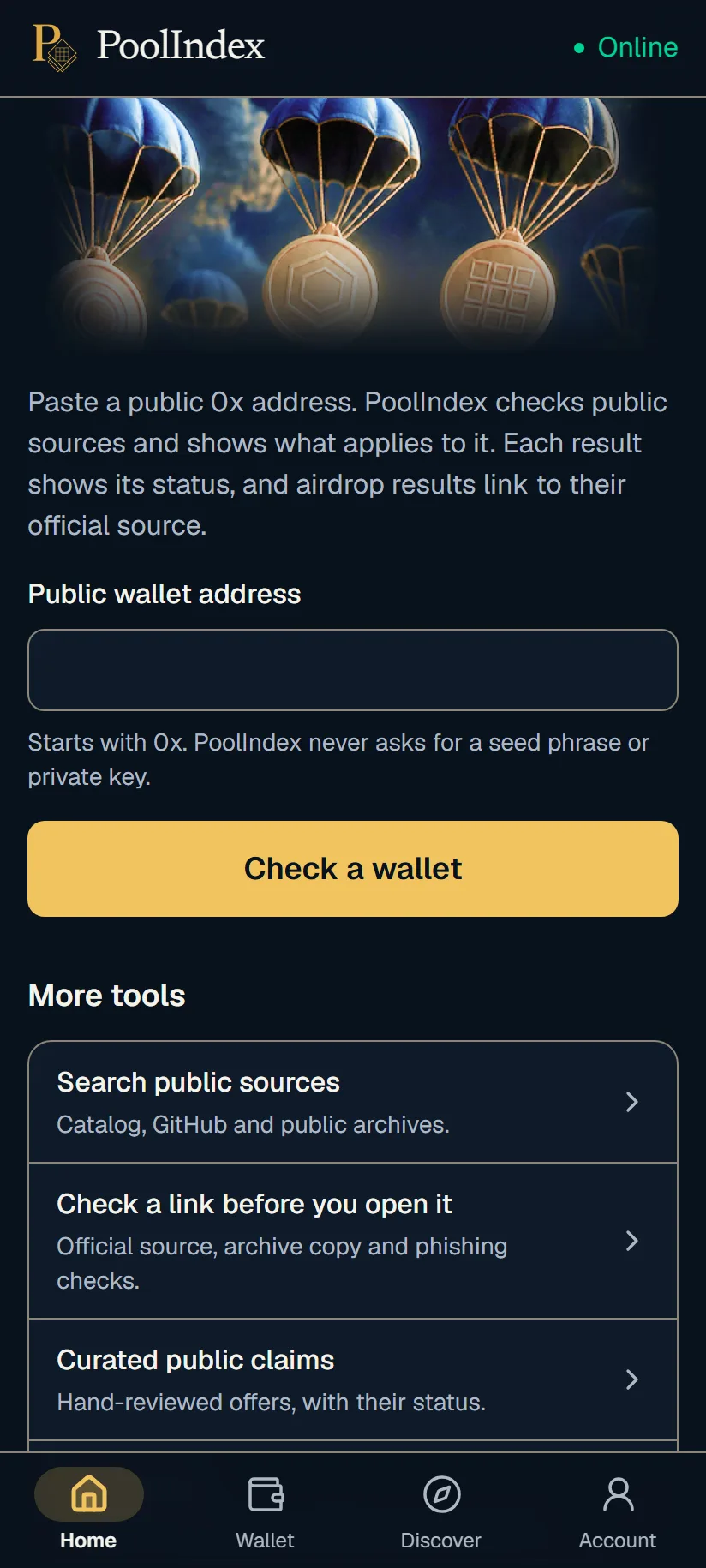
Fake claim pages are one of the most common ways people lose coins while looking for an airdrop. The link arrives in a reply, a DM or an ad, the page looks like the real project, and one approval in your wallet can be enough to empty it. PoolIndex includes a claim link checker on Windows and Android: you paste the link, PoolIndex opens the page on its own server, and it tells you what it found.
The check reads the page for you, so you don't have to open it on your own device first. It is a signal to help you decide, not a guarantee that a site is safe.

What the link check looks for
PoolIndex reads the address of the link and the page behind it, and looks for the signs that fake claim sites have in common.
- Forms or prompts that ask you to enter or import a seed phrase or private key.
- Domains that look like a known brand but are not its official domain.
- Pages that ask you to send coins first or to "validate" your wallet, a classic giveaway scam.
- Scripts that send what you type to a Telegram bot or a Discord webhook, as phishing kits do.
- Claim paths that go through DMs or a chat admin.
- Hosts known for leaked keys, and disposable domain endings often used in phishing.
Live page, archive copy and catalog match
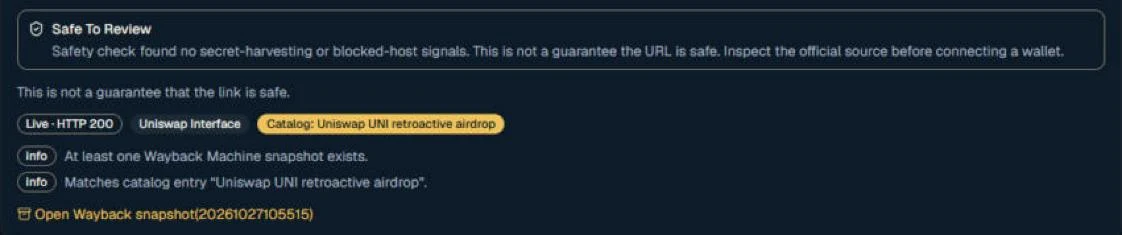
The check also tells you whether the page is live, and looks for a Wayback Machine snapshot of the same URL. An archive copy lets you read an old offer without opening a page that may have changed since.
When the link matches an entry in the PoolIndex catalog of public claims, the result says so and links to that entry, where you can see its status and official source.
Four possible results
Every link check ends with one of four results, and each one comes with the reason behind it.
- Safe to review: none of the warning signs above were found. This is not a guarantee, so still compare the domain with the project's official site.
- Caution: something needs a closer look, such as a warning flag, a page that no longer exists or a page that is not live.
- Blocked: the page shows a real threat, such as a form that asks for a seed phrase. Don't open it.
- Unable to verify: the page could not be loaded or the site refused the request, so nothing was checked. This is not a safety approval.
Why fake claim links work
A fake claim page copies a real project's design and often its exact wording. The difference is in the domain, in what the page asks for, and in what your wallet is asked to approve. Those are the parts that are easy to miss when you are in a hurry to claim before a deadline.
Fake links spread most right after a real airdrop is announced, when many people search for the claim page at the same time. Search ads and replies under a project's own posts are common places for them.
A link check doesn't replace your own judgement, but it gives you a second look at the page before your wallet is anywhere near it.
Habits that keep you safe
- Start from the project's official site or a bookmark you saved yourself, not from a link someone sent you.
- Never type a seed phrase or private key into any website. A real claim never needs them.
- Read every wallet request before you approve it. If you don't understand it, reject it.
- Be suspicious of a deadline that is only hours away and of a claim that asks you to pay first.
How it works
Install PoolIndex.
Get PoolIndex for Windows from the Microsoft Store, or the Android app from Google Play.
Register and verify your email.
The free plan lets you check 1 wallet and 5 links a month.
Paste the claim link.
Copy the full link, starting with http or https, into the link check. Don't open it in your browser first.
Read the result and its reasons.
You see one of four results with the flags behind it, whether the page is live, and a Wayback snapshot when one exists.
PoolIndex never asks for your seed phrase or private key. You can check a public address without connecting a wallet.
Frequently asked questions
- Is it safe to paste a suspicious link into PoolIndex?
- Yes. PoolIndex opens the page from its own server and reads it there. The page doesn't run on your device, and your wallet is not involved.
- Does "safe to review" mean the site is safe?
- No. It means the check found none of the signs it looks for. New scam pages appear every day, so always compare the domain with the project's official site before you do anything.
- How many links can I check?
- The free plan includes 5 link checks a month after you register. They reset on the 1st of each month (UTC). If a page could not be read at all, the check is not counted.
- What should I do if a link is blocked?
- Don't open it, and don't pass it on. If you already typed a seed phrase into that page, treat the wallet as exposed and move your coins to a new wallet you set up yourself.
- Do I need to connect a wallet?
- No. PoolIndex checks using your public wallet address only, the same address anyone can already see on the blockchain. It never asks for your seed phrase or private key.
Guides on the PoolIndex blog
Check your wallet with PoolIndex
Free after you register: check 1 wallet and 5 links a month. Windows and Android.
Research results, not a promise of funds. Always confirm a result on the project's official site.